
Client portals that land in your Google Drive
Stop chasing files over SMS and email. Clients upload via magic link — everything lands in your Google Drive.
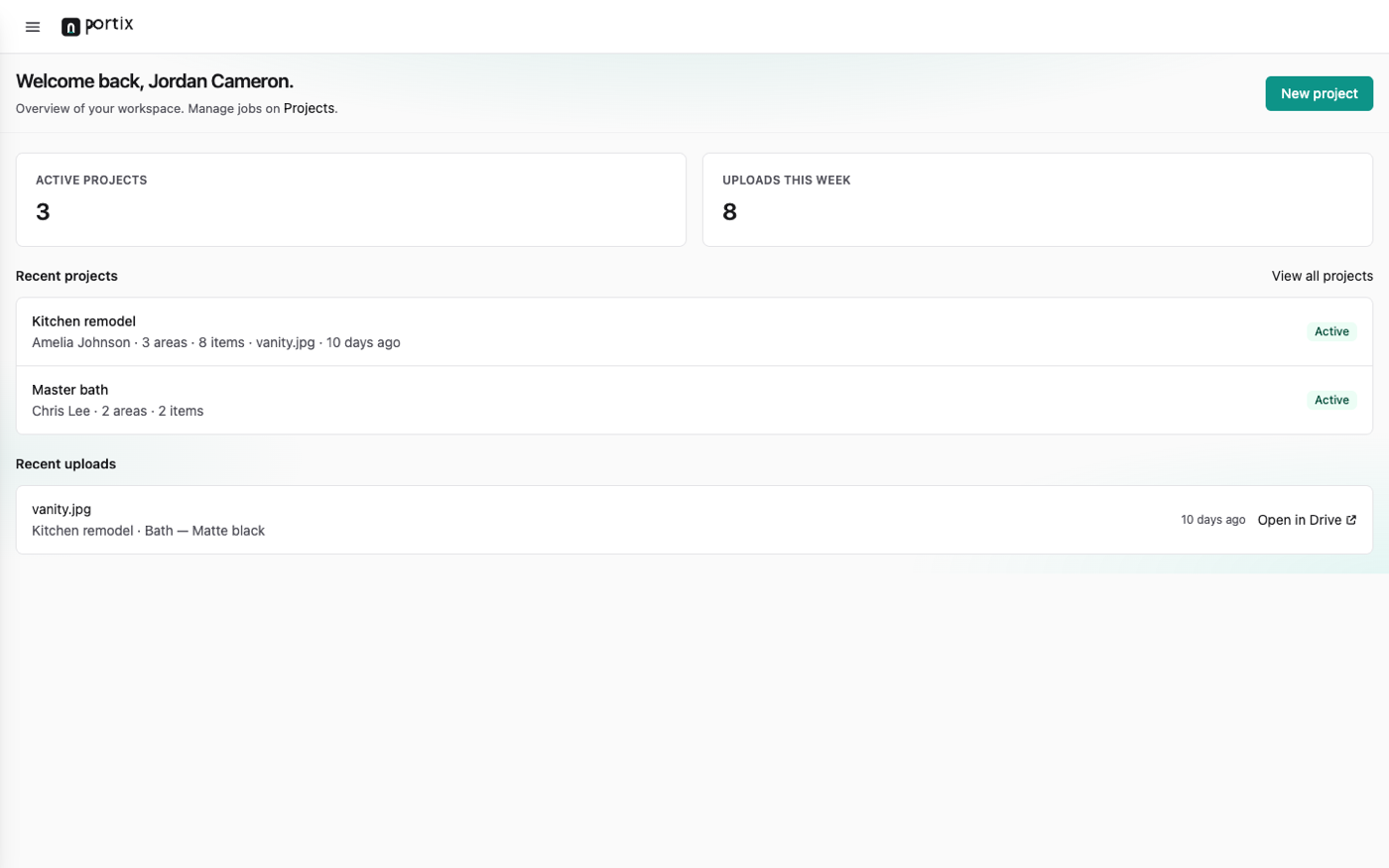
Inside Portix
Workspace for you. Portal for them.
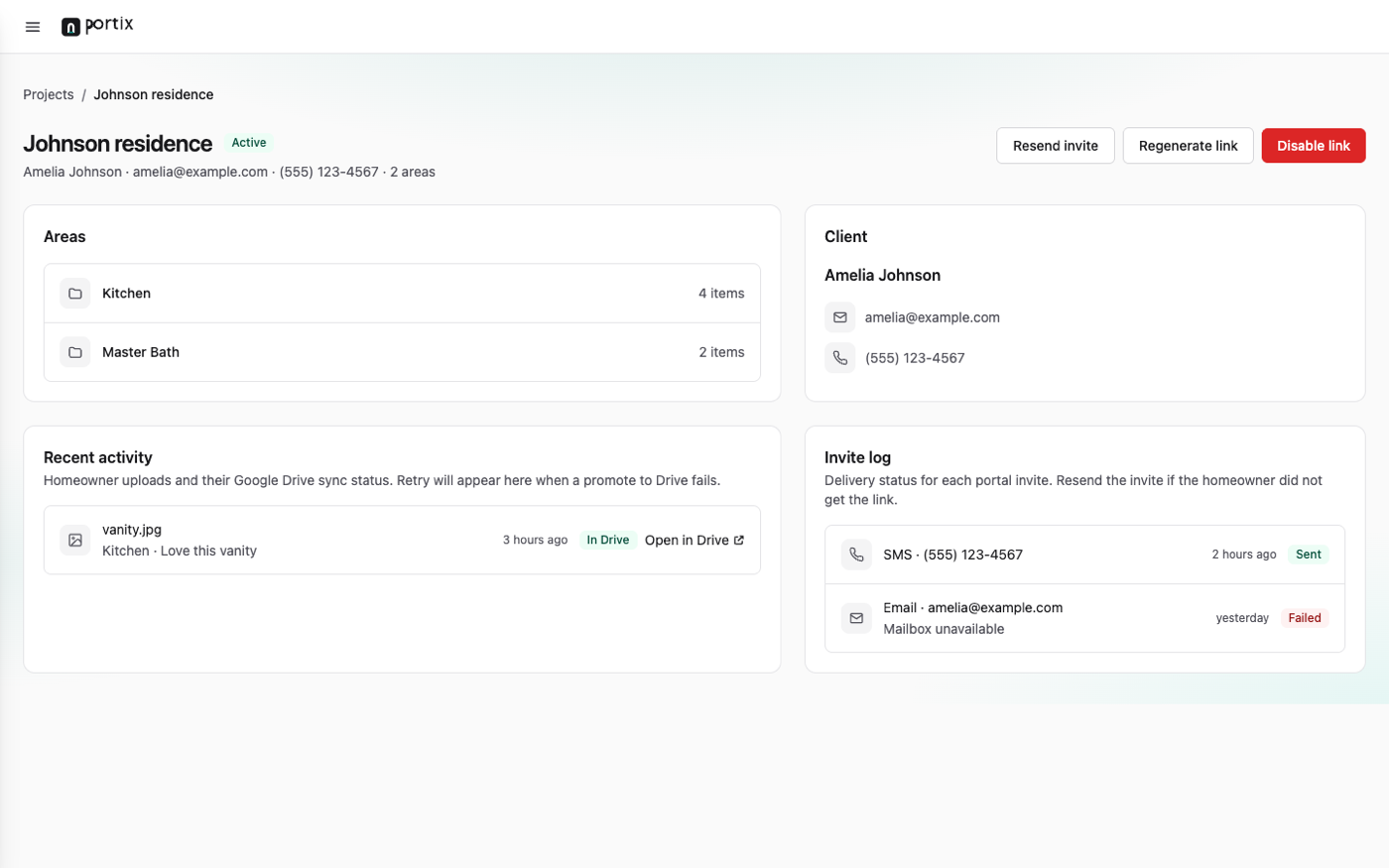
Provision projects, send magic links, watch uploads land in Drive — without another file silo.
Why Portix
A portal that stays out of the way — and never holds your files hostage.
Own your data
Uploads write straight into your Google Drive. Cancel Portix and you keep every file and folder.
Frictionless for clients
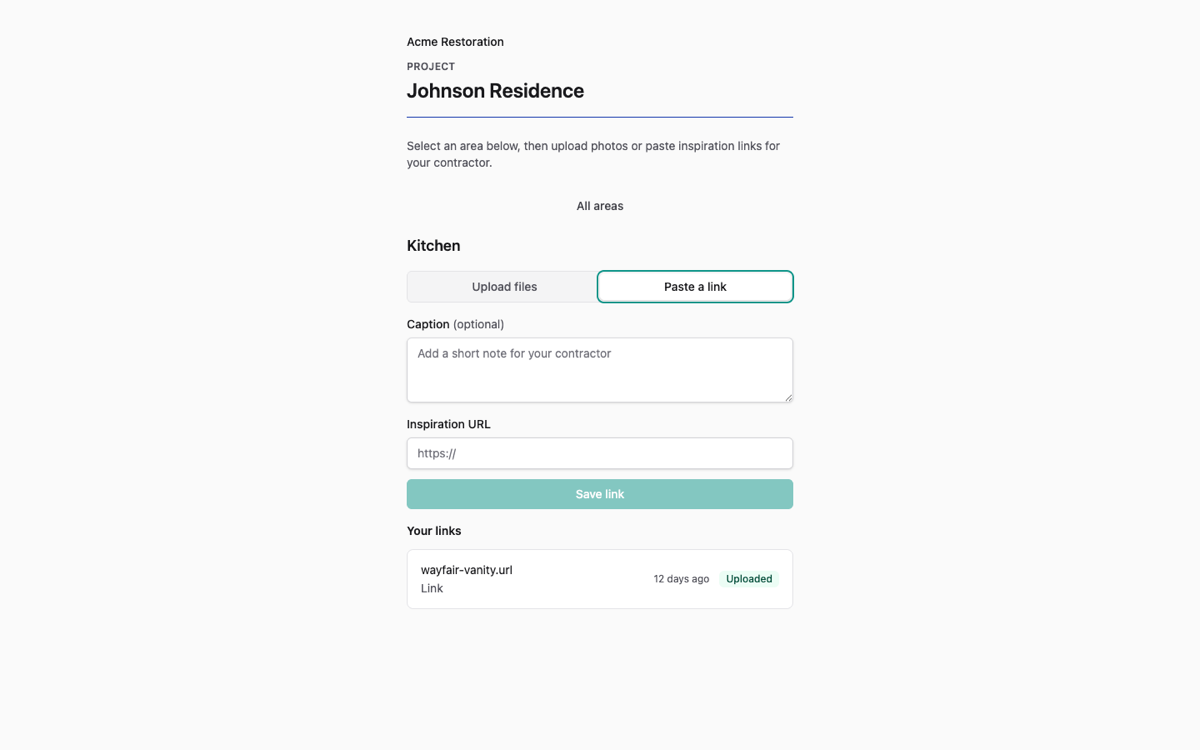
A magic link opens a mobile portal — no app download, no account, no login friction.
Organized by project
Photos, documents, and links land in the folders you define — so nothing gets lost in the inbox.
Fits your stack
CRM-agnostic. Zapier and Make connect your existing tools to project provisioning.
How it works
Three steps from invite to organized Drive.
01
Provision a project
Create it in the dashboard, or let Zapier open it when a job or deal is ready.
02
Send a magic link
Invite the client by SMS or email. One tap opens their portal.
03
Collect into Drive
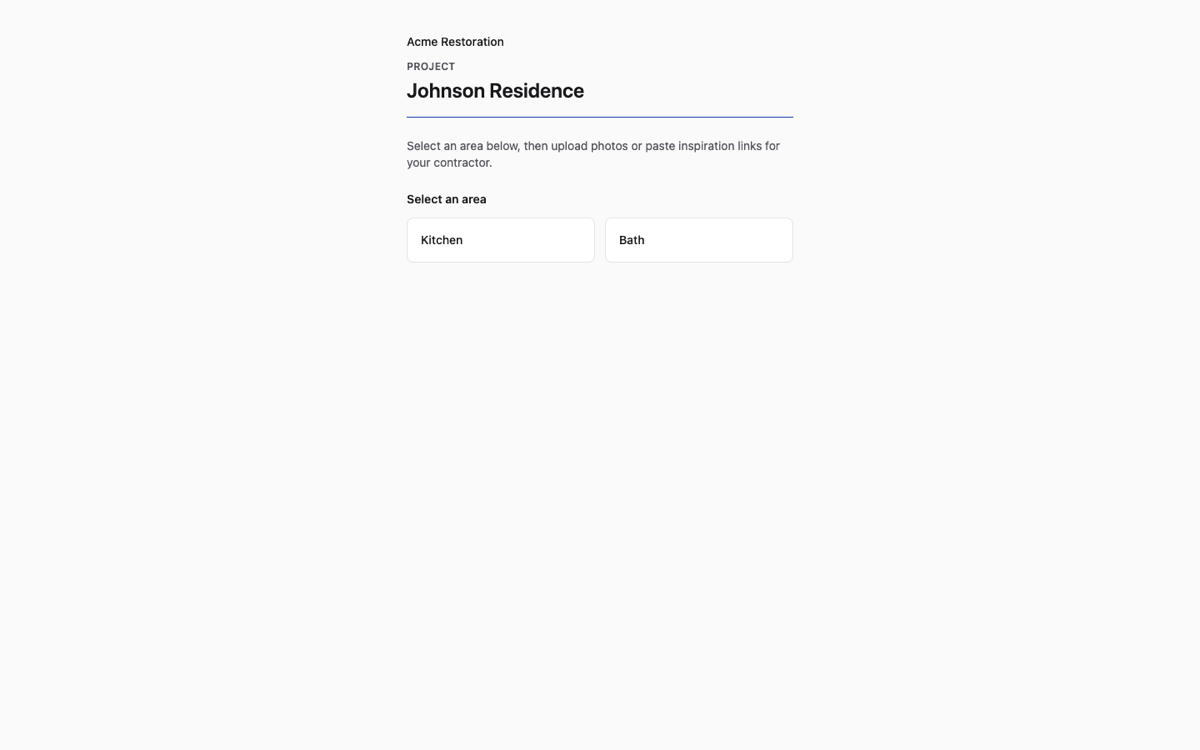
They choose a category, upload files, or paste links — everything lands in your Drive.
Built for teams that already live in Drive.
Starter from $49/mo. Growth adds Zapier, branding, and team seats.